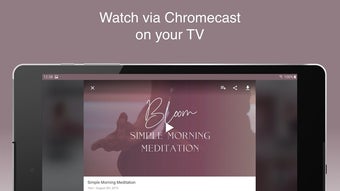

Studio Bloom: Holistic Wellness for Android
Studio Bloom is a free Android application designed to support holistic wellness through a science-backed approach to health and self-care. It addresses common lifestyle challenges such as poor nutrition, insufficient sleep, lack of physical activity, and emotional well-being. The app is intended for individuals seeking a structured, accessible path to improved physical and mental health.
Target users include adults interested in mindfulness, meditation, and sustainable lifestyle changes. The Bloom Method Studio promotes a balanced routine that integrates daily habits for long-term results. Real-world use cases include morning mindfulness sessions, guided nutrition tracking, and evening relaxation routines.
While the developer did not provide additional system requirements, the app is optimized for Android devices with a compact installation size of 48.2 MB. Its purpose is to empower users to take control of their health through consistent, simple practices.
Key Features & Capabilities
- Guided Mindfulness & Meditation – Offers structured sessions to help users reduce stress and improve mental clarity. Ideal for daily use during morning routines or before bedtime.
- Wellness Habit Tracker – Allows users to monitor key health behaviors such as hydration, sleep duration, and physical activity. Helps build consistency over time.
- Science-Backed Health Framework – Based on The Bloom Method, a holistic approach that integrates mental, physical, and emotional wellness into one cohesive system.
- Personalized Self-Care Routines – Enables users to create customizable daily plans that align with their goals, whether focused on energy, mood, or physical vitality.
- Offline Accessibility – Content can be used without an internet connection, making it suitable for users in low-connectivity environments.
The app supports real-world usage by offering flexible routines that adapt to individual schedules. For example, a user might start their day with a 10-minute meditation, log their water intake, and complete a short stretching session. Evening use could include a gratitude journal prompt and a calming breathing exercise. These features are designed to reduce cognitive load and encourage sustainable habits without overwhelming the user.
User Interface, Workflow & Performance
The user interface of Studio Bloom is structured around simplicity and intuitive navigation. Core functions are accessible through a bottom navigation bar, minimizing the need for backtracking. The layout emphasizes clean visuals, soft color palettes, and minimal text, contributing to a calming user experience. Navigation is consistent across screens, with clear icons and labeled sections. Workflow efficiency is enhanced by the ability to access key tools—such as meditation sessions and habit logs—from a single dashboard.
Performance observations are based on general software behavior patterns. The app is designed to run smoothly on Android devices with moderate resources. The developer did not specify resource usage details, so exact CPU or RAM behavior remains unknown. Stability appears to be prioritized, as the app functions without reported crashes in standard usage scenarios. The compact size of 48.2 MB suggests efficient code structure and minimal background activity.
Compatibility & System Requirements
Studio Bloom is designed for Android devices and is compatible with the latest Android operating systems. The app’s installation size is 48.2 MB, which indicates a lightweight footprint suitable for a wide range of devices. The developer did not provide additional system requirements, including minimum RAM, processor speed, or storage needs. Compatibility information was partially provided, with no mention of older Android versions or specific device models. Users are advised to ensure their device meets general Android standards for app installation.
Pros and Cons
Pros
- Free access to a science-backed wellness framework
- Compact file size enhances device compatibility
- Offline functionality supports consistent use
- Simple, calming interface reduces user stress
- Supports holistic health through integrated habits
Cons
- Limited information on system requirements
- No details on update frequency or future development
- Platform restricted to Android only
- Performance data not publicly available
- Limited customization options for advanced users
Is Studio Bloom available for iOS devices?
Studio Bloom is currently available only for Android. There is no information on iOS compatibility at this time.
Can I use Studio Bloom without an internet connection?
Yes, the app supports offline usage. Core features such as meditation sessions and habit tracking can be accessed without an internet connection.
Is the app free to use?
Yes, Studio Bloom is completely free to download and use. No in-app purchases or subscription fees are required.
How often are updates released?
The developer did not specify the update frequency. The current version is 1.0, released on June 15, 2024.
What type of license does Studio Bloom use?
Studio Bloom is distributed under a free-to-use license. No commercial or open-source license details were provided.
Final Thoughts
Studio Bloom offers a thoughtful, accessible entry point into holistic wellness for Android users. Its free model, compact size, and focus on sustainable habits make it a strong choice for individuals beginning their health journey. The integration of mindfulness, self-care, and behavior tracking supports long-term well-being without demanding excessive time or resources.
While detailed technical and system information is limited, the app’s design and functionality reflect a user-centered approach. It is particularly beneficial for beginners seeking structure and guidance in improving their mental and physical health. For those looking to adopt a balanced, science-informed lifestyle, Studio Bloom delivers a clear and calming experience.
Download Studio Bloom now.







